fabric-lakehouse-configure-connection-profile
Connection Profile Name: Enter a name that uniquely identifies the external resource.
Namespace:.Select the namespace where the profile will be stored. All users who will use this profile must have READ and SELECT permissions on the namespace.
Endpoint Type: Select Fabric Lakehouse.
Authentication Type: Select the type of authentication you want to use, then set the properties for that type as described below.
Setting Entra ID properties
Entra ID was formerly known as Azure Active Directory.
URL: Enter the URL from your Fabric Lakehouse properties.
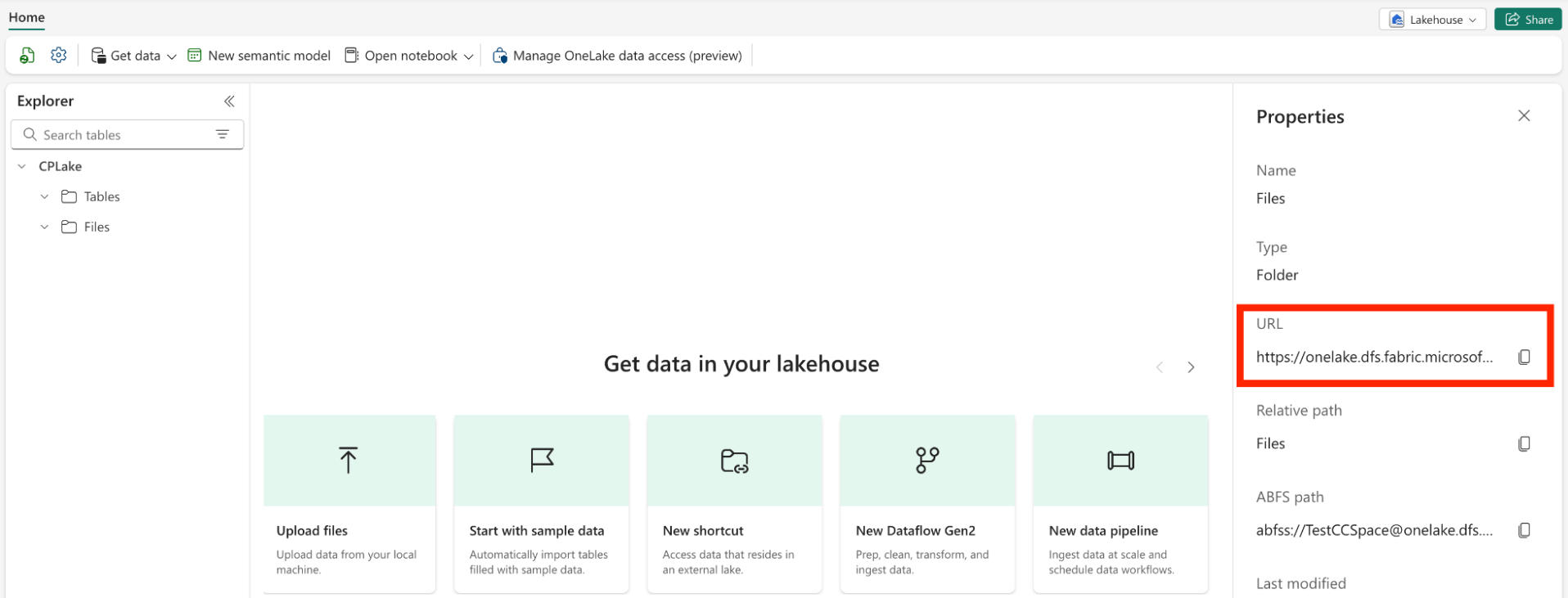
After specifying the URL, click Sign in using Entra ID. Log in with an Entra ID organization (work) account that has the Contributor role. Once you log in successfully, close the browser window, return to the connection profile page, and test the connection.
When you rotate the Entra ID token, applications using this connection profile will automatically switch to the new token. The ConnectionProfile_TokenIsExpiring Smart Alert will by default send you an alert 24 hours before the token expires (see Managing Smart Alerts).
Setting Microsoft Entra Service Principal properties
To use an Entra Service Principal to connect to Fabric Lakehouse:
Register an application with the Microsoft identity platform as described in Learn / Microsoft Entra / Microsoft identity platform / Quickstart: Register an application with the Microsoft identity platform.
Click Certificates and secrets on the left panel and click Add client secret. Make note of the client secret value as you will need to provide it in the connection profile in Striim.
Assign the app to your Fabric workspace: Go to the Fabric portal and navigate to your workspace, at the top right click Manage access, click Add people or groups and search for the app name you created earlier, choose the Contributor role, and click Add.
Set the following properties in your connection profile:
URL: Enter the URL from your Fabric Lakehouse properties.
Client ID: Enter the Application (client) ID from your application's Overview page.
Client Secret: Enter the Client Secret.
Tenant ID: Enter the Directory (tenant) ID from your application's Overview page.